AppImages with Open Build Service (OBS)
How I built an AppImage for my hobby project using the Open Build Service (OBS).
Project setup from Template
Start from the button “New Image” in the UI.
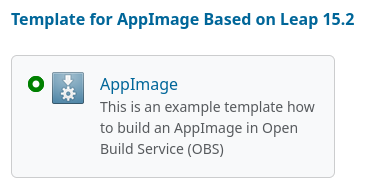
This creates an entry in the “Meta” Settings of the Project. I first tried to follow the instructions by only referencing project="OBS:AppImage", but this will not work. The specific OpenSuse build version (project="OBS:AppImage:Templates:Leap:15.2") is required. The button “New Image” in the UI will produce a new “Project” with the proper “Meta” specification which you can copy/paste to the desired project (in my case “home”).
Adjust the Meta of the project to use the Template for x86_64 and aarch64 AppImages:
  <repository name="AppImage">
    <path project="OBS:AppImage:Templates:Leap:15.2" repository="AppImage"/>
    <arch>x86_64</arch>
    <arch>aarch64</arch>
  </repository>
appimage.yml
Start crafting the appimage.yml file. The “most simple example” was useful as template.
Builds from source can fetch from Git or from archives (e.g., .tar.gz). Because I publish the application in 2 flavors (“nightly” build and stable release), I built the “nightly” build from the latest commit from Git (master branch) and the “stable” release from the tar.gz sources.
I needed to make install the application to DESTDIR $BUILD_APPDIR for it to be available in the resulting AppImage (see difference between source and build dir).
.desktop file
.desktop file and app icon are required in the build directory of the AppDir specification. I did not know that the .desktop file Exec directive does not work with absolute paths 😲.
Also something I learned about .desktop files: “The Icon= entry SHOULD NOT contain the file extension, the actual filename of the file, however, SHOULD carry the extension.” (see AppDir specs).
During few rebuilds, I noticed that newer versions of my .desktop file are not copied to the resulting AppImage. There was some sort of caching going on in the runner, which always included an earlier version of the file. Triggering a rebuild did not replace the file, only pruning the $BUILD_SOURCE_DIR with an extra build reset the runner and the next build had the updated version of the .desktop file included.
  script:
  - rm -rf $BUILD_SOURCE_DIR/*
Distributing as AppImage
Also, I was wondering why the download page for the package does not show icons/buttons to download the AppImage. Because this options was missing, I followed the advice to include an extra link on the website of the project.